


Step by Step Hairstyle App
4.635.00 Reviews
App Specs
- Version
- 13.1.0
- Updated On
- License
- Free
- Downloads
- 1,000,000+
- Developer
- One Music Player
- Categories
- Beauty
- Platform
- Android
Screenshots
 Analysis by AppCompare
I’m usually wary of beauty apps that promise an effortless makeover, so I approached Step by Step Hairstyle App as a practical reference rather than a substitute for a stylist. Its focus is learning and trying hairstyles, which makes it most useful when I want ideas I can work through at home. I also think it’s worth separating what the app is designed to help with from what any tutorial can guarantee: a set of instructions can guide your hands, but the result still depends on your hair, tools, patience, and practice.
A guide for practice, not a salon appointment
The app is a free beauty app from One Music Player. It has a 4.5 average from around 2,100 ratings, and has been installed over 500,000 times. Those figures suggest it has found an audience, but I wouldn’t treat popularity as proof that every style will suit every person. Its age rating is Everyone, and the current version is 13.1.0. There are in-app purchases, so I’d check the purchase details before tapping any paid option if I’m trying to keep the experience free.
That distinction matters because hairstyle tutorials are especially personal. A look that appears straightforward in a picture may take a different amount of time on fine, thick, curly, short, or layered hair. I use the app as a way to learn the order of the steps and decide whether a style seems manageable, then adapt rather than expect a perfect copy. The most useful mindset is to treat each guide as a starting point, not a promise of identical results.
What I would check before sharing or buying
For an app that deals with beauty ideas, my trust check is simple: I look at the permissions it requests, the privacy information, and any choices offered around accounts or sharing before I enter personal details or upload anything. Those checks matter more to me than a polished collection of hairstyle pictures. I wouldn’t assume a particular data practice from the app’s purpose alone, and I’d avoid sharing photos or personal information unless I had a clear reason and understood the choices presented on my device.
I’d also pause at any purchase prompt and read what it covers before confirming. The app is free to download, while in-app purchases range from $0.99 to $99.99 per item. That spread makes it sensible to treat optional purchases deliberately rather than assume every guide or feature is included at no cost. If all I need is basic inspiration, I’d first see how much I can do without buying anything.
Discovering the Magic of Hairstyling
The first thing that caught my attention was the app's user-friendly interface. Honestly, I’ve tried a bunch of hairstyling apps, and some feel like you need a PhD just to navigate through them. Not the Step by Step Hairstyle App. It’s like having your best friend guide you through hairstyle options with zero stress.
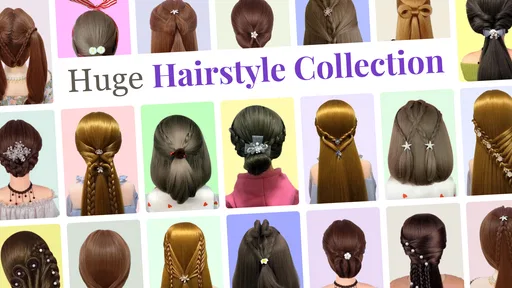
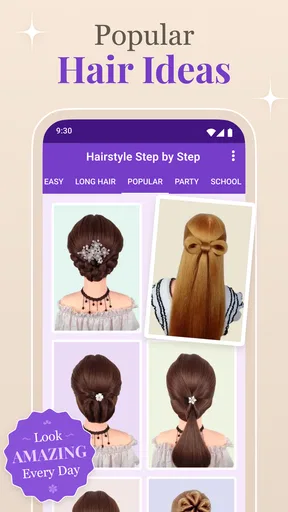
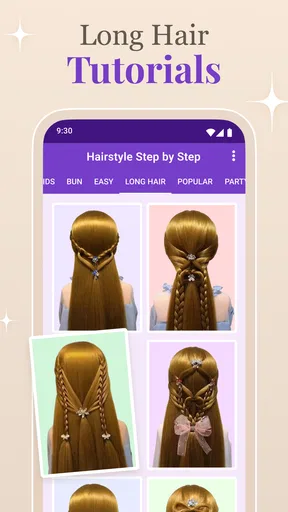
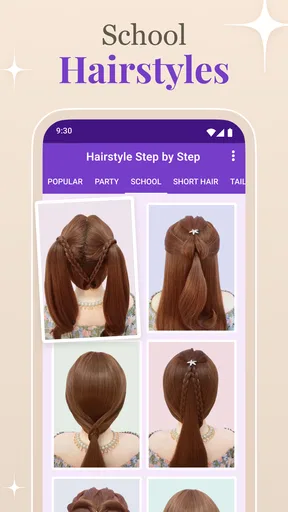
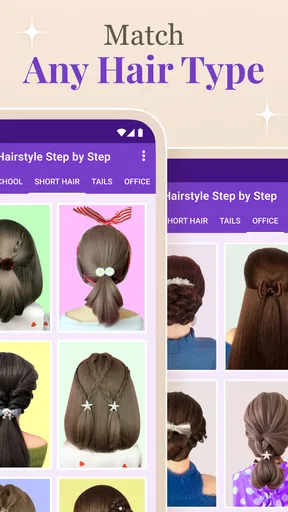
Once you dive in, you’re greeted with a vibrant menu of styles. Whether you’re looking for something chic for a night out or a casual look for a Sunday brunch, this app has got you covered. I love how the styles are categorized by occasion and hair type, making it super easy to find what you’re looking for.
Worth Reading Before You Choose

Flipboard Shows What News Apps Must Do Beyond the Feed

Switching to Android Auto Means Rethinking Your Driving Routine

Google Calendar Makes a Crowded Week Easier to Manage

Ludo King Makes the Most of the Minutes Between Plans

Baby Panda World Brings Quick Play to Modern Phones, but Its Game Library Feels Busy

ESPN’s Live Game View Makes Following Close Games Easier
Detailed Instructions with Visuals
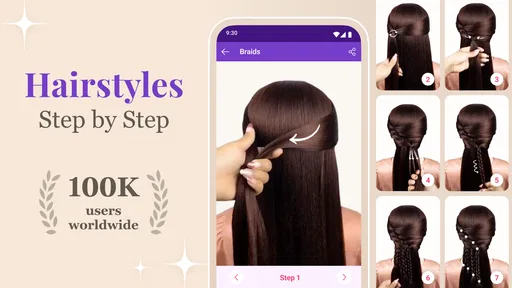
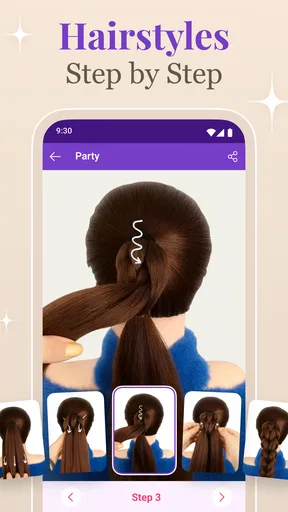
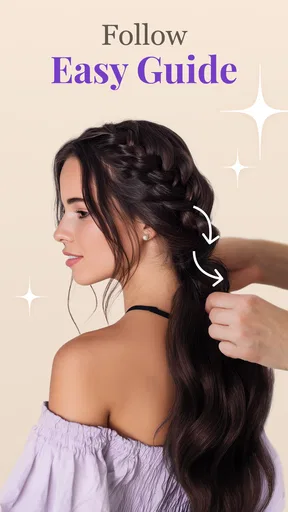
Now, here’s where the app truly shines. Each hairstyle comes with step-by-step instructions that are clear and easy to follow, even for someone like me who’s not exactly a hair guru. The visuals are a lifesaver! Each step is accompanied by images that show exactly what you should be doing. It’s almost like having a personal stylist right in your pocket.
There’s also a handy little feature where you can save your favorite looks. I’ve already got a collection of styles I’m eager to try, from elegant updos to playful braids. It’s like having a personal lookbook that you can refer back to anytime.
Making tutorials work in everyday life
The easiest way I’ve found to use a picture-led guide is to prepare before I start styling. I look through the full sequence first, then set out the clips, ties, or brush I’m likely to need. That small pause prevents the familiar problem of holding a section of hair in place while trying to work out what the next image means. If I’m short on time, I choose a style whose steps look repeatable rather than attempting an intricate updo right before leaving home.
A realistic example is getting ready for brunch on a weekend. I can browse for a relaxed style, save a couple of possibilities, and try one when I have time to redo it if the first attempt feels uneven. For an event with a firm start time, I’d practice the look on an ordinary day first. That’s a useful trade-off with any visual tutorial: it can make a technique easier to understand, but it can’t remove the trial-and-error of learning it with my own hands.
Offline access is another practical part of the app’s appeal. Being able to explore hairstyle ideas without relying on a live connection can help when I’m planning away from home or trying not to use mobile data. I’d still open the app beforehand and make sure the material I want is available on my device, rather than assume every screen or community feature works offline. That distinction is useful: offline browsing can make the tutorials convenient, while anything that depends on sharing or support may call for a connection.
Customization and Tips
One of the coolest features of this app is the customization options. You can tailor each hairstyle to your hair length and texture. The app provides tips on how to tweak the styles to suit your individual needs. For example, if a braid looks too complicated for your shorter hair, the app suggests modifications to make it work.
Plus, there are expert tips sprinkled throughout. These little nuggets of wisdom can make all the difference, especially when you’re trying a new style for the first time. It’s these small touches that really elevate the app from being just another hairstyling tool to a comprehensive hairstyling guide.
Choosing it over other beauty tools
Compared with general beauty apps, image searches, or long-form video tutorials, this app’s clearest advantage is its step-by-step focus. A video can show how hands move and let me replay a tricky moment, while a written or image sequence is easier to scan quickly and revisit without scrubbing through a recording. Search results can offer a huge variety, but they often leave me to judge which instructions are complete. Here, the appeal is having hairstyle guidance gathered in one place, with visuals that help break a look into manageable stages.
There are limits to that format. Still images may not explain tension, speed, or exactly how to hold a section as well as a moving demonstration. If I’m learning a difficult braid and can’t tell what the fingers are doing, I’d be better off supplementing the guide with a video or asking someone experienced to show me. If I want professional advice tailored to a major haircut or a specific hair concern, a stylist is the better choice; this app is about trying styles, not replacing that judgment.
It should also suit expectations. Someone who enjoys experimenting at home, wants a quick source of ideas, or is learning basic styling techniques may get real value from the visual format and saved looks. Someone who wants a virtual try-on, a personalized salon consultation, or a guaranteed result may find a tutorial app too limited. I’d also skip it if I only want a single highly specific style and already have a trusted video or stylist who explains that technique more clearly.
Community and Feedback
What’s also super engaging is the community aspect of the app. Users can share their own hairstyle creations and offer feedback on the styles they’ve tried. It’s a fantastic way to get inspired and see how others are using the app. I’ve picked up quite a few creative ideas from browsing through user-submitted photos.
And, if you’re feeling a bit stuck or need some help, the app’s support community is just a tap away. It’s like having a whole world of hairstyling enthusiasts ready to lend a hand or offer advice.
Using community ideas with care
Community examples can be helpful for seeing how a style looks on different people, but I treat them as inspiration rather than a guarantee that the same approach will work for my hair. When I browse shared photos, I pay attention to what seems adaptable—such as the placement of a braid or how a finished updo sits—rather than copying every detail. I’d also be selective about what I contribute. A hairstyle photo can feel casual, but it is still an image of me, so I would review the app’s visible sharing choices and permissions before posting.
If I’m looking for help, I’d make the question specific: explain which step is confusing or what part of the style is not holding, instead of asking broadly how to make it better. That makes feedback easier to use. At the same time, community advice is not the same as professional guidance, particularly when the question involves scalp sensitivity, hair damage, or a major change. In those cases, I’d take the tutorial as styling inspiration and seek advice from someone qualified to address the underlying concern.
Who will get the most from it
I’d recommend trying the app if you like learning by looking, want a low-pressure way to test braids or updos, and are comfortable adjusting a tutorial to your own hair. It may be especially useful for building a small rotation of everyday styles: save a few that suit work or school, then keep a more involved option for a free afternoon. That is a more practical use than expecting to find one perfect look for every occasion.
On the other hand, anyone who needs a completely hands-off styling result, detailed video demonstrations for every movement, or personalized advice should compare it with other options before relying on it. The app’s step sequence can help me understand what to try, but it won’t style my hair for me. I also wouldn’t make a purchase just to solve a technique problem until I had checked whether the included guidance already covers what I need.
Wrapping It Up
All in all, the Step by Step Hairstyle App has been a delightful discovery. It’s perfect for anyone looking to spice up their hair game without the hassle of lengthy tutorials or expensive salon visits. With its intuitive design, detailed guides, and supportive community, it’s a must-have for anyone passionate about hairstyling.
So, if you’re keen on experimenting with your hair and want to do it in a fun, stress-free way, give this app a go. Trust me, your hair will thank you!
My cautious verdict is that it makes the most sense as an easy-to-browse hairstyle reference, especially if I want to collect ideas and practice at my own pace. The free starting point lowers the commitment, but optional purchases mean I’d look carefully before spending, and I’d make my own privacy choices before sharing anything. If those expectations match what you want—a source of visual guidance, not a salon in your pocket—it’s a reasonable app to try. I’d begin with a simple style, check the steps from start to finish, and build up to more ambitious looks only after I know how the format works for me.
Pros
- Easy to follow tutorials for all skill levels.
- Wide variety of hairstyle options.
- Offline access to saved tutorials.
- Regular updates with new styles.
- User-friendly interface with clear navigation.
Cons
- Limited styling tools in free version.
- Ads can be intrusive during use.
- No option for personalized recommendations.
- Some tutorials lack detailed steps.
- Requires internet for initial download.
FAQs for Step by Step Hairstyle App
What features does the Step by Step Hairstyle App offer?
The Step by Step Hairstyle App provides users with a wide range of hairstyle tutorials, from simple everyday looks to complex, elegant styles. It includes video guides, detailed instructions, and a virtual try-on feature that allows you to see how a hairstyle might look on you before attempting it. The app also offers tips for hair care and styling tools recommendations.
Is the Step by Step Hairstyle App suitable for all hair types?
Yes, the app is designed to cater to various hair types and textures. It includes specialized tutorials for curly, straight, wavy, and coily hair. Users can filter hairstyles based on their hair type to find the most suitable and manageable styles, ensuring that everyone can find something that works for them.
Does the app require an internet connection?
While some features of the Step by Step Hairstyle App, like downloading new tutorials or accessing community content, require an internet connection, many tutorials can be saved for offline use. This makes it convenient for users who want to follow along with instructions without needing to be online constantly.
Are there any in-app purchases or subscriptions?
The app offers a free version with basic features and a limited number of tutorials. For access to premium content, including advanced hairstyles and ad-free browsing, users can opt for a subscription model. Pricing varies, and there are often promotions or trial periods available for new subscribers.
Can beginners use the Step by Step Hairstyle App effectively?
Absolutely! The app is user-friendly and designed with beginners in mind. It provides clear, step-by-step instructions and video guides that make learning new hairstyles easy. Additionally, the community section offers advice and support from other users, making it a great resource for those new to hairstyling.


